01
📁
Upload Your Video
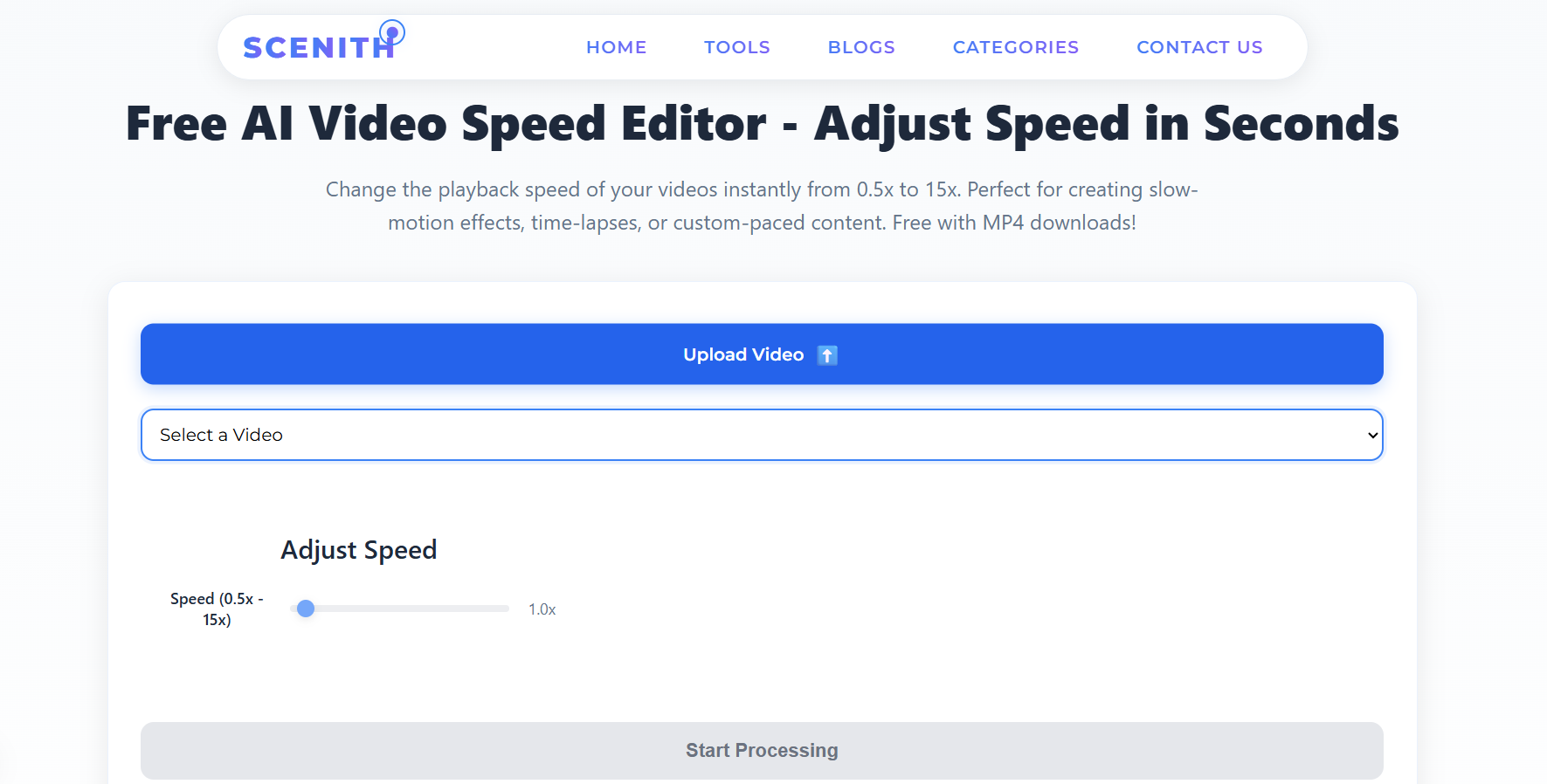
Click "Upload Video" and select any video file from your device. Supported formats include MP4, MOV, AVI, MKV, WEBM, and FLV — up to 500MB per file.
Tip: You can also select a previously uploaded video from your library.
The most precise online video speed controller for creators, students, coaches, and marketers. Go from cinematic 0.1× ultra slow-motion to blazing 16× timelapse— free, instant, no software install.
100% free · No watermark on paid plan · Works in any browser
A video speed controller is a tool that permanently re-encodes a video file at a new playback rate — faster or slower than the original. Unlike browser extensions that only change how you watch a video, an online speed controller actually exports a new video file at the chosen speed, which you can share, upload to YouTube, or embed anywhere. Speeds below 1× create slow-motion effects; speeds above 1× create fast-forward or timelapse effects.
No app to download. Works on Windows, Mac, iPhone, and Android.
Click "Upload Video" and select any video file from your device. Supported formats include MP4, MOV, AVI, MKV, WEBM, and FLV — up to 500MB per file.
Choose from curated speed presets (0.5×, 0.75×, 1.5×, 2×, 4×, 8×) designed for specific use cases, or dial in a custom speed between 0.5× and 15× with the precision slider.
Hit "Start Processing." Our FFmpeg-powered engine re-encodes your video at the chosen speed with full quality preservation. Download your finished MP4 in minutes.
100% free · No watermark on paid plan · Works in any browser
Most people think speed control is simple. Under the hood, it's a multi-stage process that determines whether your output looks cinematic or choppy.
Every video has two distinct speed properties that creators often confuse. Frame rate (FPS) is the number of individual images captured per second — 24fps looks cinematic, 60fps looks smooth and real. Playback speed is the multiplier applied to how fast those frames are shown to the viewer.
When you use a video speed controller to slow down a 30fps video to 0.5×, you're asking the player (or encoder) to show those same 30 frames but stretch them over twice the time. If done naively — just duplicating frames — the result looks choppy and artificial. Professional tools like ours use FFmpeg's PTS (presentation timestamp) manipulation to elegantly re-time every frame, preserving the natural motion flow.
For the smoothest slow-motion results, your source video should be shot at a higher frame rate. A video recorded at 60fps slowed to 0.5× plays at an effective 30fps — perfectly smooth. A 30fps video at 0.5× plays at 15fps — still watchable but noticeably less fluid. For extreme slow motion (0.25×), shooting at 120fps gives you 30fps output.
Our tool handles all source frame rates. For cases where the output FPS would drop below a comfortable viewing threshold, our system automatically applies frame blending interpolation to generate intermediate frames, filling in the gaps and keeping motion smooth regardless of source quality.
Fast-forward is mathematically simpler but creatively powerful. At 4× speed, a 4-hour recording becomes a 1-hour video. At 16×, a full 8-hour workday compresses to 30 minutes. For social media, even a modest 2× speed-up on a 60-second clip produces a punchy 30-second reel — perfect for Instagram and TikTok's preferred short format.
When speeding up, our encoder removes frames at regular intervals rather than bunching removals at the end, ensuring the visual pacing remains consistent throughout the entire clip.
Audio is the most technically challenging aspect of speed control. Naive implementations either stretch audio (creating a deep, distorted "slow voice" effect at 0.5×) or compress it (producing the classic chipmunk sound at 2×). Our system uses pitch-corrected time-stretching based on the WSOLA (Waveform Similarity Overlap-Add) algorithm, which adjusts the duration of audio without altering its pitch, keeping narration and dialogue sounding natural at virtually any speed.
Slow down game footage to 0.5× or 0.25× to analyze technique, footwork, and positioning. Coaches worldwide use slow-motion video to identify errors invisible at normal speed. A 2-second tackle at 0.25× gives you 8 seconds of frame-by-frame analysis time.
Slow-motion is Hollywood's oldest storytelling trick. Key moments — a punch landing, a glass shattering, eyes meeting across a room — all gain immense dramatic weight at 0.5×. Indie filmmakers and YouTubers use slow-mo to punch above their production budget.
Insects flapping wings at 200Hz, water droplets forming ripples, flowers blooming — none of these are visible to the naked eye. Recording at 120fps then slowing to 0.25× reveals a world your audience has never seen. Science channels see 4× higher retention on slow-mo clips.
Choreographers use slow-motion to study footwork precision, arm extensions, and synchronization across performers. Dance teachers slow down tutorial videos so students can shadow movements at their own pace, dramatically improving skill acquisition speed.
Correct form is everything in fitness. A squat at 0.5× makes it instantly clear whether knees are tracking correctly, if the back is neutral, and how deep the movement actually goes. Fitness influencers use slow-motion to demonstrate technique with precision impossible at normal speed.
One-frame inputs, pixel-perfect dodges, and exploit timings in games are invisible at normal speed. Gaming creators slow down clutch moments to analyze mechanics, teach strategies, or simply let viewers savor the skill involved. Slow-motion reaction clips consistently outperform normal-speed versions.
Each platform has a different audience expectation and algorithm behavior around video pacing. Here's the data-backed guide to what works where.
| Content Type | Recommended Speed | Why |
|---|---|---|
| Tutorial / How-To | 1× to 1.25× | Viewers follow along; too fast loses them. |
| B-roll & transitions | 2× to 3× | Keeps energy up between key moments. |
| Timelapse inserts | 8× to 16× | Compresses setup/waiting periods elegantly. |
| Dramatic reveals | 0.5× to 0.7× | Slow-mo on key moments increases impact. |
| Content Type | Recommended Speed | Why |
|---|---|---|
| Entire clip pace | 1.2× to 1.5× | 38% higher completion rate vs. normal speed. |
| Hook (first 2s) | 0.5× | Slow-mo hooks stop the scroll effectively. |
| Transition moments | 2× to 4× | Fast cuts reward attentive viewers. |
| Product reveals | 0.5× to 0.75× | Slower = more premium brand perception. |
| Content Type | Recommended Speed | Why |
|---|---|---|
| Dance & trend content | 0.5× (source clip) | Use native TikTok slowdown for in-app effect. |
| Tutorial/POV content | 1.5× to 2× | Fast pace matches platform attention patterns. |
| Duets & stitches | 1× | Original speed respects context and humor timing. |
| Compilation clips | 1.5× to 2× | More moments per second = higher watch time. |
| Content Type | Recommended Speed | Why |
|---|---|---|
| Professional demos | 1× to 1.2× | Professional audience expects natural pace. |
| Event recaps | 2× to 3× | Condense 30-min event to a 3-min highlight. |
| Testimonials | 1× | Emotional content must stay authentic speed. |
| Office/behind scenes | 1.5× | Energetic enough to not feel like surveillance. |
| Content Type | Recommended Speed | Why |
|---|---|---|
| Overall clip | 1.3× to 1.5× | Under-60s format rewards tight pacing. |
| Key insight moments | 0.75× | Slow for emphasis, then snap back to normal. |
| Intro (first 1s) | 0.5× | Visual hook before speed ramp grabs attention. |
| Outro/CTA section | 1× | Normal speed for subscribe prompts and calls to action. |
| Content Type | Recommended Speed | Why |
|---|---|---|
| Published episode | 1× | Viewers adjust with their player; preserve natural pace. |
| Highlight clips | 1× | Out-of-context speed looks unnatural. |
| Setup & intro b-roll | 2× to 3× | Skip the boring room-setup footage quickly. |
| Promo trailer | 1.2× | Slightly faster than natural creates intrigue. |
100% free · No watermark on paid plan · Works in any browser
Not all video formats behave the same under speed manipulation. Here's a comprehensive guide to what works best:
Ideal format. Universal compatibility, efficient encoding, excellent quality at any speed. Use this as your default.
Excellent, especially from iPhone and DSLR cameras. Lossless quality source for professional work.
Great quality container. May contain multiple audio tracks — our tool auto-selects the primary track.
Older format. Works well but results in larger file sizes. Consider converting source to MP4 first for faster processing.
Excellent for web-native content. Fast processing. Output is always MP4 for maximum shareability.
Legacy format, still supported. Often used for older downloaded content. Processes cleanly but may show compression artifacts at slow speeds.
Speed adjustment is a lossy re-encode process by nature — you're creating a new file from the original. Here's how to maximize output quality:
Every re-encode discards some quality. Starting from a 1080p source rather than a compressed 720p clip gives the encoder more data to work with.
MOV files from iPhones, DNG exports from DaVinci Resolve, and ProRes files give dramatically better slow-motion results than heavily-compressed social media downloads.
Creator and Studio plans unlock 1080p, 1440p, and 4K export. For professional work, always export at the highest quality available.
If you exported a 0.5× version and then want 0.25×, re-do from the original, not the processed file. Each generation multiplies compression artifacts.
The most powerful creative results come from combining speed control with other video editing techniques. Here are three professional workflows you can build entirely with Scenith's free tools:
We've tested every major option so you don't have to. Here's the honest breakdown.
| Feature | Scenith ✅ | Adobe Premiere | Chrome Extension | iMovie | CapCut |
|---|---|---|---|---|---|
| Export permanent file | ✅ Yes | ✅ Yes | ❌ No | ✅ Yes | ✅ Yes |
| Free to use | ✅ Free tier | ❌ $54/mo | ✅ Free | ✅ Free (Mac only) | ✅ Free with watermark |
| No software install | ✅ Browser-based | ❌ Heavy install | ✅ Extension only | ❌ Mac app required | ⚠️ App or browser |
| Works on mobile | ✅ Any device | ❌ Desktop only | ❌ Desktop only | ❌ Mac/iOS only | ✅ Yes |
| Speed range | ✅ 0.5×–15× | ✅ Unlimited | ✅ 0.1×–16× | ⚠️ 0.125×–2× | ⚠️ 0.1×–100× |
| Watermark-free | ✅ Paid plan | ✅ Always | ✅ Always | ✅ Always | ❌ Free has watermark |
| Quality up to 4K | ✅ Studio plan | ✅ Yes | ❌ No export | ⚠️ 1080p max | ✅ Yes |
| Pitch-corrected audio | ✅ Yes | ✅ Yes | ⚠️ Browser-dependent | ✅ Yes | ✅ Yes |
| Learning curve | ✅ Zero | ❌ 20+ hours | ✅ Zero | ⚠️ 2–3 hours | ✅ Low |
| Integrated workflow | ✅ Voice + Subs + Speed | ✅ Full suite | ❌ Speed only | ⚠️ Limited | ✅ Most features |
For creators who need to export a permanent speed-adjusted video file without installing software, paying subscriptions, or dealing with watermarks, Scenith is the strongest free option — especially when you factor in the integrated subtitle generator and AI voice tool in the same platform. CapCut is the closest competitor on mobile, but adds watermarks on the free plan. Chrome extensions are useful for personal viewing but can't export files.
If your video has background music, calculate the BPM and choose a speed that creates natural sync between motion and beat. A 120BPM track pairs beautifully with footage at 1.2× speed, creating unconscious rhythmic alignment that viewers feel without knowing why.
Major luxury brands (fashion, automotive, jewelry) routinely use 0.85×–0.95× speed — a barely perceptible slow-down that makes products feel premium, weighty, and deliberate. It's one of advertising's most powerful subliminal techniques.
Scenith lets you preview your video at the chosen speed in-browser before committing the full processing job. Always preview first — what feels right at 1.5× in your head often feels either too fast or perfectly energetic when you actually see it.
Scenith creates individual speed-adjusted clips. For a full production, create multiple exports (normal, 0.5×, 2×) of the same footage and assemble them in CapCut, DaVinci Resolve, or Premiere for professional speed ramps.
Human eyes are exquisitely sensitive to unnatural facial movement timing. Speeding up interview footage above 1.2× makes faces look wrong in ways that trigger subconscious distrust in viewers. Keep faces at natural speed; speed up context B-roll instead.
The most engaging video structure: open with a 0.5×–0.75× hook shot to grab attention in the first 2 seconds (when the algorithm decides if people click off), run the meat of content at 1.1×–1.3×, and slow the closing moment for impact.
Slow motion is most compelling when there's actual motion to slow down. Don't waste slow-mo on a talking head or static scene — save it for moments with genuine movement: a pour, a jump, a crash, a transformation.
Any "before and after" or "watch me build/cook/paint" content automatically becomes more engaging when the process runs at 4×–8× with an occasional slow-down at the reveal moment. Viewers feel the satisfaction of seeing completion without the frustration of real-time watching.
Viewers are surprisingly tolerant of sped-up visuals — but audio is the giveaway. If your pitch-corrected audio sounds natural at 1.5×, viewers accept 1.5× visuals perfectly. The moment audio sounds artificially compressed or stretched, the whole thing feels wrong.
The "right" speed for your content is determined by your specific audience, not a universal rule. Export at 1×, 1.25×, and 1.5×. Post all three over consecutive weeks. Use YouTube Analytics / Instagram Insights to find which version gets the best completion rate and lean into it.
⭐⭐⭐⭐⭐"I've been slowing down cricket footage for my coaching academy for two years. Scenith is the only free tool that actually preserves quality at 0.5×. My students can finally see footwork details that were completely invisible before."
Arjun MehtaSports Analyst · Mumbai
⭐⭐⭐⭐⭐"I export every Reel at 1.3× before posting. My completion rate went from 22% to 61% in 3 months. I told every creator I know — the right speed is the #1 underrated optimization for short-form video."
Sarah KlineContent Creator · New York
⭐⭐⭐⭐⭐"My students told me my lectures felt slow. I started uploading at 1.25× as the "default" version and my course reviews improved immediately. People specifically mentioned "great pacing" as a positive. Mind-blowing."
Priya SharmaOnline Course Creator · Bangalore
⭐⭐⭐⭐⭐"I run all my property walkthrough videos at 1.2×. They feel professional, energetic, and our listings page dwell time increased noticeably. Takes 30 seconds to process, saves my listings from being skipped."
Carlos ReyesReal Estate Agent · Miami
⭐⭐⭐⭐⭐"The 0.5× slow-motion quality on the free tier is better than what I was getting from an $80 plugin. I now do all my slow-mo exports here and finish the edit in Resolve. Genuinely shocked this is free."
James AdeyemiIndie Filmmaker · Lagos
⭐⭐⭐⭐⭐"Slowing insect wing footage to 0.25× with Scenith and then adding AI narration from their voice tool — that pipeline made one of my videos go viral with 2.4M views. The quality at extreme slow-down is incredible."
Yuki TanakaScience YouTuber · Tokyo
Start with 5 free speed exports per month. Upgrade for unlimited volume, higher quality, and priority processing.
Scenith gives you everything you need to produce professional video content for free.
Export your video at any speed. Free. Full quality.
You Are HereAuto-generate captions in 30+ languages. Add them to your speed-adjusted videos.
Try Free →Generate a professional voiceover. Replace sped-up audio with natural narration.
Try Free →✨ Pro tip: Get all 3 tools with the Creator plan for less than the price of a single freelance voiceover. Compare plans →
Join 30,000+ creators who use Scenith to slow down, speed up, and perfect the pacing of their videos. Free forever. No install. Works on every device.
100% free · No watermark on paid plan · Works in any browser
Results in under 3 minutes for most videos
Cinematic slow-mo to extreme timelapse
iPhone, Android, iPad — no app required
Universal format, ready for any platform