01
Upload Your Video
Drag & drop or browse to upload MP4, MOV, AVI, MKV, or WebM. Files up to 500 MB supported.
The fastest way to change video speed online. Slow down to 0.5x for cinematic slow-motion or speed up to 15x for extreme timelapse — no software install, no watermark, no hidden fees. Supports MP4, MOV, AVI, MKV & more.
Trusted by 30,000+ creators · Rated ⭐⭐⭐⭐⭐ 4.8/5
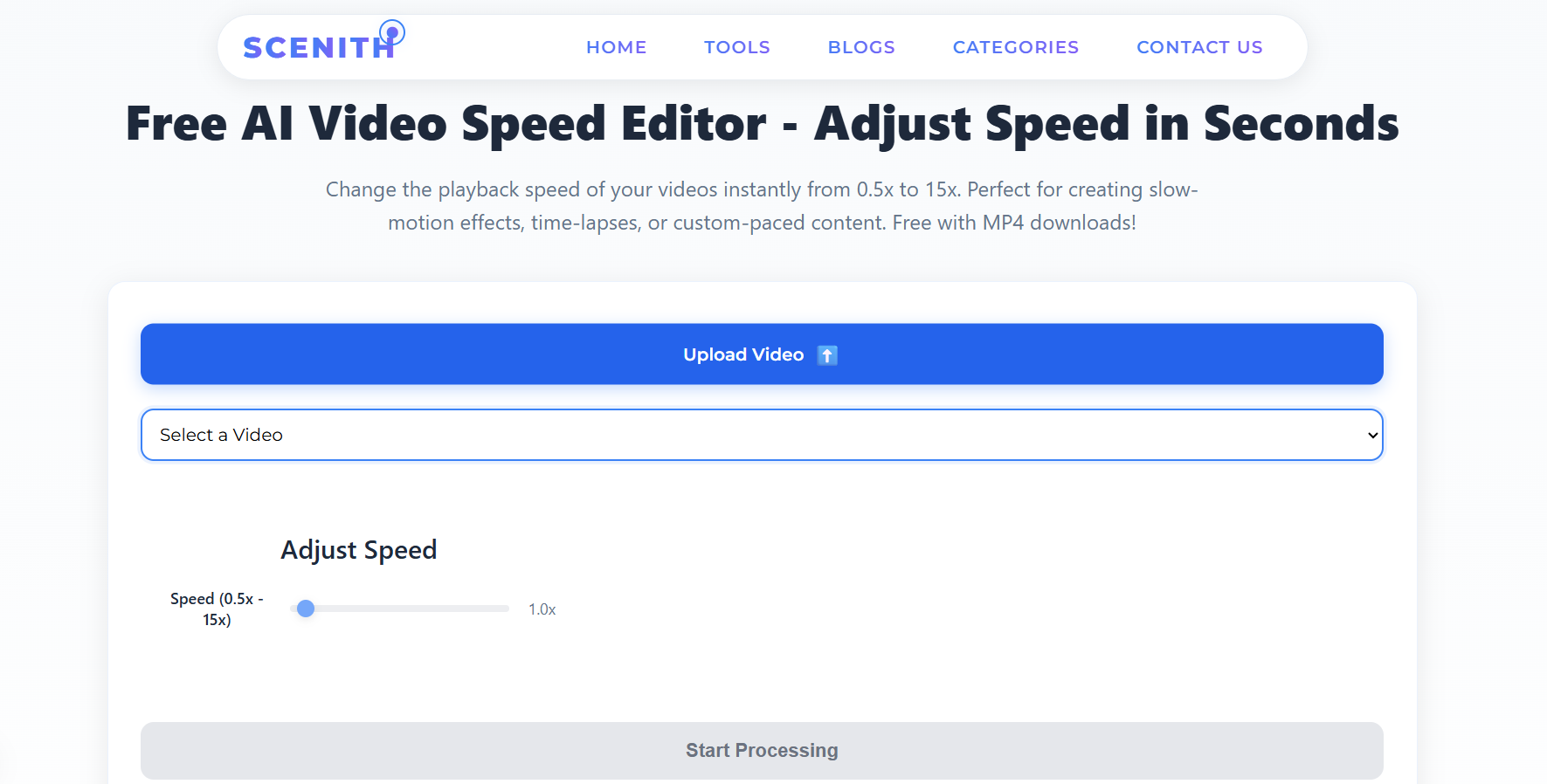
No editing experience required. Upload → Adjust → Download in under 3 minutes.
Drag & drop or browse to upload MP4, MOV, AVI, MKV, or WebM. Files up to 500 MB supported.
Choose a preset — 0.5x slow-mo, 1.5x Reels speed, 4x timelapse — or dial any custom value from 0.5x to 15x.
One click exports your speed-adjusted video as a high-quality MP4. Zero watermark. Full commercial rights.
From butter-smooth slow-motion to jaw-dropping time-lapse — every speed preset is crafted for a specific creative outcome.
Best for: Action shots, sports highlights, product reveals, emotional moments
Creates cinematic weight. Viewers feel every millisecond — perfect for YouTube intros and Instagram hook shots.
Best for: Dialogue scenes, nature beauty shots, fashion videos
Subtle enough to feel natural yet adds elegance and gravitas to any shot without looking obviously slowed.
Best for: Tutorials, vlogs, getting-ready videos, daily content
Cuts watch-time by 20–33% while maintaining comprehension — ideal for platform algorithm retention scores.
Best for: Lecture recordings, educational courses, walkthroughs
Research shows 2x is the sweet spot for information retention vs time saved in educational video content.
Best for: Cooking, art creation, construction progress, workout montages
Compresses 30–60 minutes of process into under 10 seconds — the ultimate storytelling compression tool.
Best for: Sunrises, cloud movement, city traffic, plant growth
Reveals invisible patterns in the world. Hours of footage becomes a mesmerizing few-second clip that drives shares.
From solo creators to enterprise marketing teams — speed control is one of the most universally powerful video editing techniques.
Boost TikTok and Instagram Reels engagement with 1.5x speed sequences that match platform's native fast-paced viewing patterns. Slow-mo hooks in the first 3 seconds increase retention by up to 40%.
Add professional slow-motion effects without a $3,000 high-fps camera. Export 0.5x footage with maintained quality for festival submissions, short films, and client commercials.
Slow down technique demonstrations to 0.5x for granular form analysis. Speed up full workouts to 4x for motivational overview reels. Used by over 2,000 coaches on Scenith.
Speed up lengthy lecture recordings to 1.5x–2x to improve course completion rates. Students watching at 1.5x show equivalent comprehension to 1x viewers — and finish 33% faster.
Transform raw footage into polished product reveal slow-mos or snappy 15-second ads. Speed adjustment is the cheapest way to add production value without a re-shoot.
Compile weeks of site progress footage into a powerful 30-second timelapse at 8x–15x. Perfect for client reports, social proof, and LinkedIn content that drives leads.
Most free online tools cap speed at 2x, slap watermarks on your video, or hide export behind a paywall. Here's how Scenith compares.
| Feature | Scenith ✅ | Other Free Tools |
|---|---|---|
| Price | ✅ Free forever | ❌ $20–55/month |
| Watermark | ✅ Zero watermark | ❌ Logo on free tier |
| Speed Range | ✅ 0.5x – 15x | ⚠️ Limited range |
| Processing Time | ✅ 2–3 minutes | ⚠️ 10–30 minutes |
| App Install | ✅ Browser-based | ❌ Download required |
| Audio Sync | ✅ Auto pitch fix | ⚠️ Manual required |
| Mobile Support | ✅ All devices | ⚠️ Desktop only |
| Commercial Rights | ✅ Full rights | ⚠️ Plan-dependent |
Purpose-built for creators who need professional speed control without the professional price tag.
Server-side GPU rendering completes speed adjustments 5–10x faster than browser-based tools. A 5-minute video is done in under 3 minutes.
Industry-leading speed range covers every creative need — from ultra-smooth slow-mo to extreme time-lapse. Most competitors stop at 2x.
No chipmunk voices at 2x or muffled audio at 0.5x. FFmpeg-powered pitch correction keeps audio natural at any playback speed.
Upload MP4, MOV, AVI, MKV, WebM, MPEG, or FLV. Output is always a universally compatible, high-quality MP4.
No Scenith branding added to your video — ever. Free plan exports are 100% clean with full commercial use rights.
Fully responsive browser tool works identically on iPhone, Android, tablet, MacBook, and Windows PC. No app required.
Videos are processed on encrypted servers and auto-deleted after 24 hours. Your content is never shared or used for training.
Eight creator-optimized presets (Slow-Mo, Cinematic, Reels Speed, Learning Mode, Timelapse, etc.) or set any custom value.
An online video speed changer is a browser-based tool that modifies the playback rate of a video file — making it play faster or slower than its original recording speed — without requiring you to install software on your device. Unlike simply adjusting playback speed in a media player (which only affects how you watch the video), a proper speed changer permanently re-encodes the output file at the new speed, ready for upload and sharing.
Under the hood, Scenith uses FFmpeg, the industry-standard open-source multimedia framework trusted by YouTube, Netflix, and thousands of broadcast studios worldwide. When you change a video's speed, FFmpeg's setpts video filter and atempo audio filter work in tandem: video frames are either interpolated (for slow-motion) or selectively removed (for fast-forward), while audio is pitch-corrected to avoid the notorious "chipmunk effect" at high speeds or distorted bass at low speeds.
Slow motion (below 1x) works by spreading existing frames across a longer timeline. For maximum smoothness, shooting at 60fps or 120fps before slowing to 0.5x gives the best results — though Scenith's AI interpolation fills in missing frames even from standard 30fps footage.
Fast-forward (above 1x) selectively drops frames according to a target frame-rate formula, then re-encodes at the destination speed. At 4x, a 1-hour video becomes a 15-minute highlight. At 15x, a full day compresses into under 6 minutes of watchable content.
⭐⭐⭐⭐⭐“I've tried 6 different online speed changers. Scenith is the only one that gives clean 0.5x slow-mo without a watermark for free. My Reels engagement doubled after I started using the 1.5x preset.”
Priya MehtaInstagram Reels Creator · 280K followers
⭐⭐⭐⭐⭐“The 0.5x slow-motion is absolutely perfect for showing exercise technique. I used to pay a freelancer $40 per video to do this. Now it takes me 3 minutes on Scenith.”
James OkaforFitness Coach & YouTube Creator
⭐⭐⭐⭐⭐“We create timelapse construction updates for clients using the 8x preset. The quality is indistinguishable from what our video agency charged us $300 per clip for. Remarkable.”
Sofia ReyesArchitecture Firm Marketing Lead
⭐⭐⭐⭐⭐“I speed up my screen recording tutorials to 1.5x before uploading. Students love it — my course completion rate went from 34% to 61% after making this one change.”
Daniel ParkOnline Course Creator · Udemy Top Instructor
⭐⭐⭐⭐⭐“The cinematic 0.75x preset gives ceremony footage that dreamy slow-feel without looking artificially slowed. Clients always ask how I achieved it. I just say 'post-processing'.”
Aisha OkonkwoWedding Videographer
⭐⭐⭐⭐⭐“Fast and free. No watermark. I was literally about to pay for Premiere just to do speed ramps. Then I found Scenith. Saved myself $55/month.”
Tom HarringtonTikTok Creator · 1.2M followers
Upload your video on Scenith, pick a speed preset between 0.5x and 15x, hit 'Start Processing', and download your MP4 — no watermark.
Yes. Scenith uses FFmpeg-powered GPU processing to slow video down to 0.5x while preserving full resolution and audio synchronization.
MP4, MOV, AVI, MKV, WebM, MPEG, and FLV. Output is always a high-quality MP4.
No watermark whatsoever on free exports. The video is 100% yours with full commercial use rights.
Up to 15x — perfect for extreme time-lapse sequences like sunrises, construction progress, or art creation.
Zero installs needed. Scenith runs entirely in your browser on any device — desktop, tablet, or mobile.
Absolutely. The 1.5x "Reels Speed" or 0.5x "Dramatic Slow-Mo" presets are built specifically for social media content creators.
Typically 2–3 minutes for most videos. GPU-accelerated servers handle heavy files quickly.
Join 30,000+ creators who use Scenith to speed up, slow down, and transform their videos — completely free, no watermark, no software install.
Change Video Speed Now — 100% FreeMP4 export · No watermark · Works on any device→