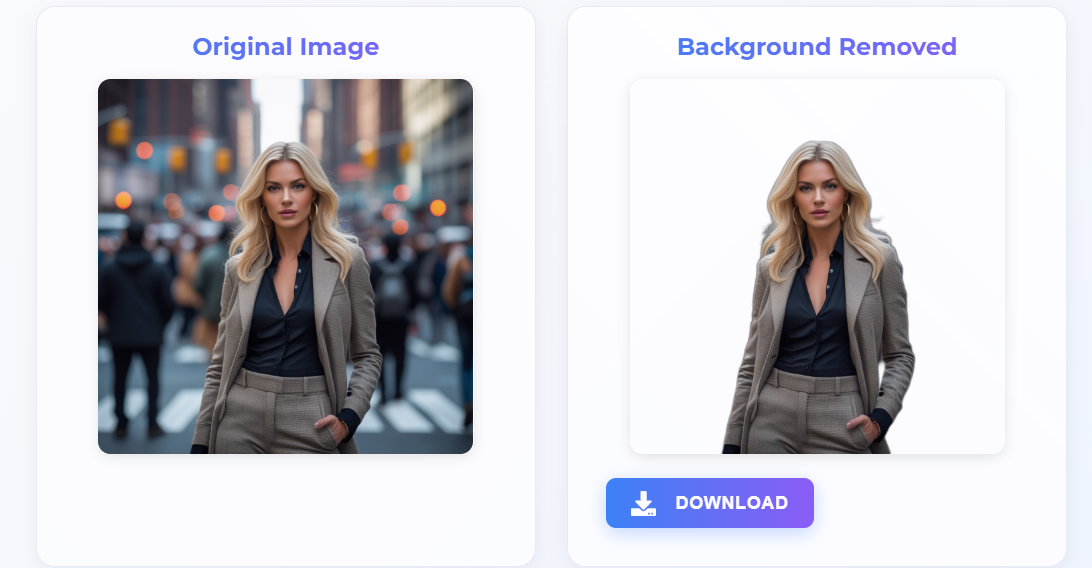
What Makes Modern AI Background Removal Different from Older Tools
If you tried background removal tools five years ago and found them frustrating — cutting off hair, leaving fringe artifacts, struggling with complex products — the experience today is radically different. The difference is the shift from heuristic algorithms to deep neural networks.
Older tools used colour-matching and edge-detection heuristics. They worked reasonably well when the subject and background were very different in colour (e.g., a red apple on a white table) but failed completely with complex scenes: people with flyaway hair, products with reflective surfaces, animals with fur, or images where the subject blends with the background.
Modern AI systems — including the one powering Scenith — are convolutional neural networks (CNNs) trained on tens of millions of diverse, labelled images. They don't look for colour differences; they understand what's in the image. The model recognises faces, bodies, products, animals, and objects as distinct entities and builds a precise pixel-level mask separating the subject from everything behind it.
The result is that modern AI handles scenarios that required painstaking manual Photoshop work: individual strands of hair blowing in the wind, a sheer fabric overlay on a dress, a glass bottle with a semi-transparent base, a white sneaker on a white table. The AI sees context, not just colour — and that changes everything.
Semantic Segmentation: The Core Process Explained
The technical process behind AI background removal is called semantic segmentation — a computer vision task where every pixel in an image is classified into a category. In background removal, there are two categories: foreground (subject) and background.
Here's what happens in those 5 seconds after you click "Remove Background":
- Image preprocessing: Your photo is resized and normalised for the neural network's input requirements. Colour channels are standardised to ensure consistent model performance.
- Feature extraction: The CNN passes the image through multiple convolutional layers, each detecting increasingly abstract features — edges → textures → shapes → objects.
- Contextual understanding: Deep layers in the network understand object context. It knows a hand holding a product is part of the foreground, while the wall behind is background — even if the wall colour matches a sleeve.
- Mask generation: The network outputs a probability map — for each pixel, a confidence score between 0 (background) and 1 (foreground). High-frequency edges like hair get refined with specialised edge-refinement modules.
- Alpha channel creation: The probability map is converted into an alpha channel mask and applied to your original image. Pixels in the background become fully transparent; subject pixels remain fully opaque; edge pixels are blended for natural anti-aliasing.
- PNG encoding and delivery: The result is encoded as a PNG file (the only common image format supporting transparency) and served to your browser for download.
Why PNG for Transparent Backgrounds — and Why Not JPG?
This is one of the most common questions from users new to background removal. JPG (JPEG) is a lossy compression format that does not support transparency at all. When you save a transparent image as a JPG, the transparent areas are automatically filled with white (or black, depending on the software). The transparency information is permanently lost.
PNG (Portable Network Graphics) uses lossless compression and fully supports an alpha channel — the fourth channel (in addition to Red, Green, Blue) that stores transparency data per pixel. This is why every AI background remover, including Scenith, outputs PNG files. When you place a transparent PNG on a coloured or textured background in Canva, PowerPoint, Shopify, or Instagram, the subject appears naturally integrated without any white box around it.